Docs menu
Docs Get started
Targeting & sessions
Pick the exit country, state, city or ASN, leave out what you don't want, and keep one IP for as long as you need it.
Last verified: November 2026How it works
PROXY_USERyour login__cr.uscountry;city.newyorkcity;sessid.a1b2hold one IP;sessttl.30for 30 minTargeting rides in the username, so it works in any app that takes a proxy login. After your username, add two underscores, then key.value parameters separated by semicolons. Separate several values for one key with commas: cr.us,gb.
Build it instead of typing it. The Generator tab on your product page writes ready-made lines, and the proxy command generator does it without an account. Some apps cut the username at a semicolon or cap its length: if targeting seems ignored, check that the field kept the whole login.
Location
| Key | Example | What it does |
|---|---|---|
cr | cr.us | Country, as a two-letter code. List several to exit in any of them: cr.us,gb. |
state | state.california | State or region, written as its full name in lowercase with no spaces (state.newyork). Abbreviations such as ca or us-ca match nothing. |
city | city.newyork | City, written the same way: full name, lowercase, no spaces. |
zip | zip.10001 | ZIP or postal code. |
asn | asn.7922 | Network operator (ISP or mobile carrier), by AS number. |
geohash | geohash.dr5ru | A square on the map, down to a neighborhood. Geohash targeting shows how to find yours. |
State, city, ZIP and ASN need a country: cr.us;city.newyork. Without one the gateway answers 407 COUNTRY_REQUERIED, a 407 that isn't about your password. A code that matches no IPs answers 503 NO_RAY: drop the narrowest key or check its spelling. The Targeting tab on your product page picks locations from the live list and writes the codes for you.
Exclude and filter
Leave places or networks out instead of naming the ones you want:
| Key | Example | What it does |
|---|---|---|
nocr | nocr.cn,ru | Countries to leave out. Works only without cr, when exits may come from anywhere else. |
nostate | nostate.california | A state to leave out of the country: cr.us;nostate.california. |
nozip | nozip.10001 | A ZIP or postal code to leave out of the country. |
noasn | noasn.7922 | A network to leave out, such as a provider your target site rejects. |
anon | anon.1 | Only IPs the network rates as more anonymous. The pool gets smaller, so expect fewer exits. |
Sessions
By default every request gets a new IP. A session keeps one:
sessid.job42IP A, heldIP Bsessttl.30 moves the session on.| Key | Example | What it does |
|---|---|---|
sessid | sessid.job42 | Session ID, any letters and digits. The same ID keeps the same IP while that IP stays online; a new ID gets a new IP. |
sessttl | sessttl.30 | Minutes before the session moves to a new IP, from 1 to 120. |
Give each worker, account or antidetect profile its own sessid. If a site refuses the IP a session drew, switch to a new sessid to move off it.
The proxy generator on your product page can also give you sticky ports, each holding one IP without a session ID. Use the ports it lists: any other answers 407 PORT_NOT_ALLOWED.
Check where you exit
Ask the gateway to name each exit's location in the response headers: the answer comes with the page, with no second request and no lookup service.
Ask for any of X-Proxy-IP, X-Proxy-Country, X-Proxy-State, X-Proxy-City, X-Proxy-Zip, X-Proxy-ASN and X-Proxy-Geohash. They come back on HTTPS requests through port 823, in the gateway's answer to the tunnel request, which curl prints first. Plain http:// pages and SOCKS5 don't get them.
Username vs. saved Targeting
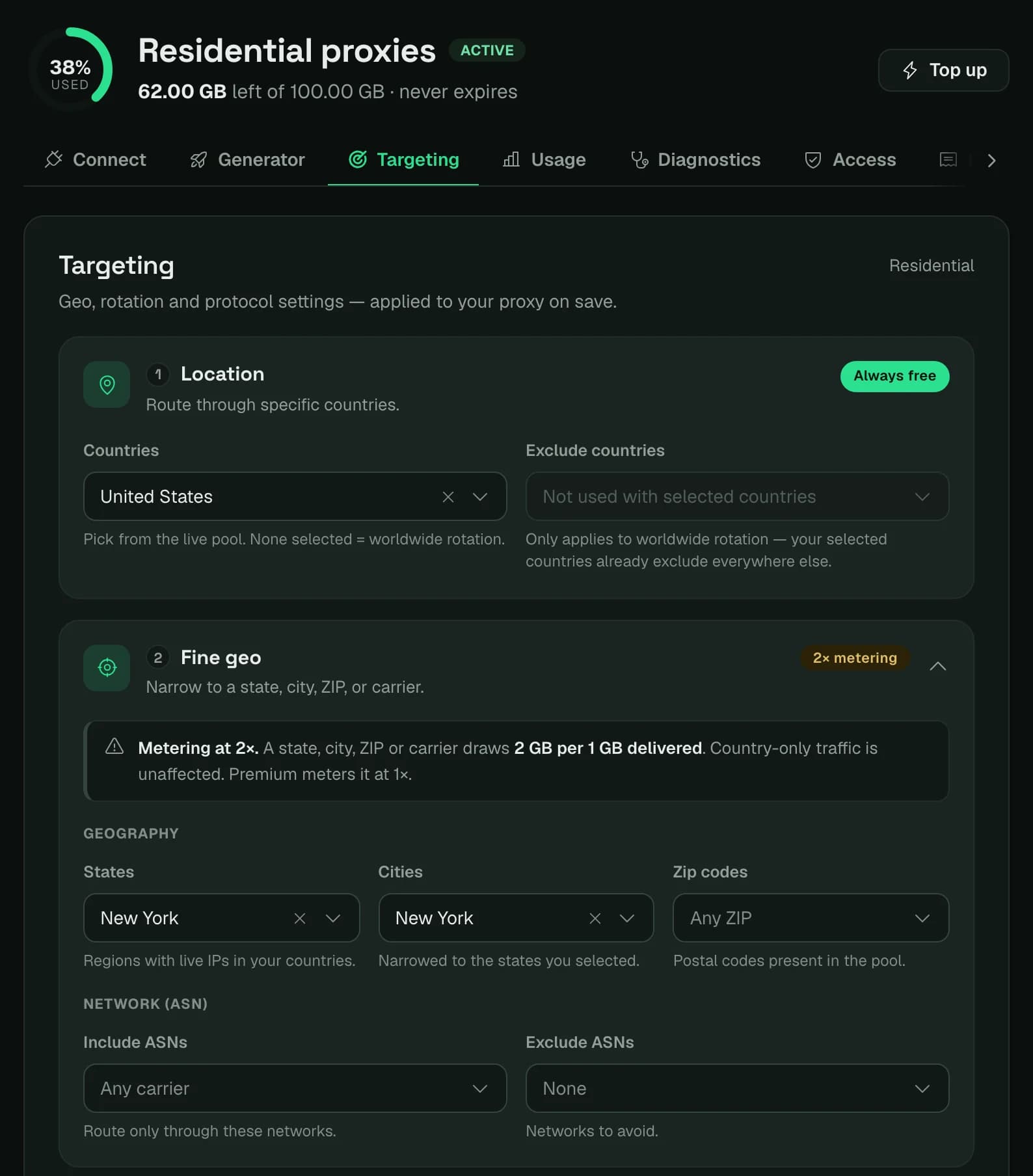
The Targeting tab saves a default location for the product. It applies whenever the username carries no location key, including connections from a whitelisted IP.
PROXY_USER__cr.usExits fromAnywhere in the USPROXY_USER__sessid.a1b2Exits fromCalifornia, one IP heldOne key works differently: a geohash replaces a saved state, city or ZIP, but not a saved country. Add cr beside it to move countries too.
Metering
| Keys | On Datacenter, Residential, and Mobile | On Premium Residential |
|---|---|---|
cr nocr noasn anon, sessions | 1× | 1× |
state city zip asn geohash nostate nozip | 2×: 1 GB delivered uses 2 GB of your pack | 1× |
The same applies to targeting saved on the Targeting tab. Bandwidth and pricing: Pricing.
Examples
Stuck on an error? Error codes explains each one.