Docs menu
Docs Get started
Geohash targeting
Exit from one neighborhood: pick a square on the map by its geohash, keep it in one country, and widen it when IPs run short.
Last verified: November 2026What a geohash is
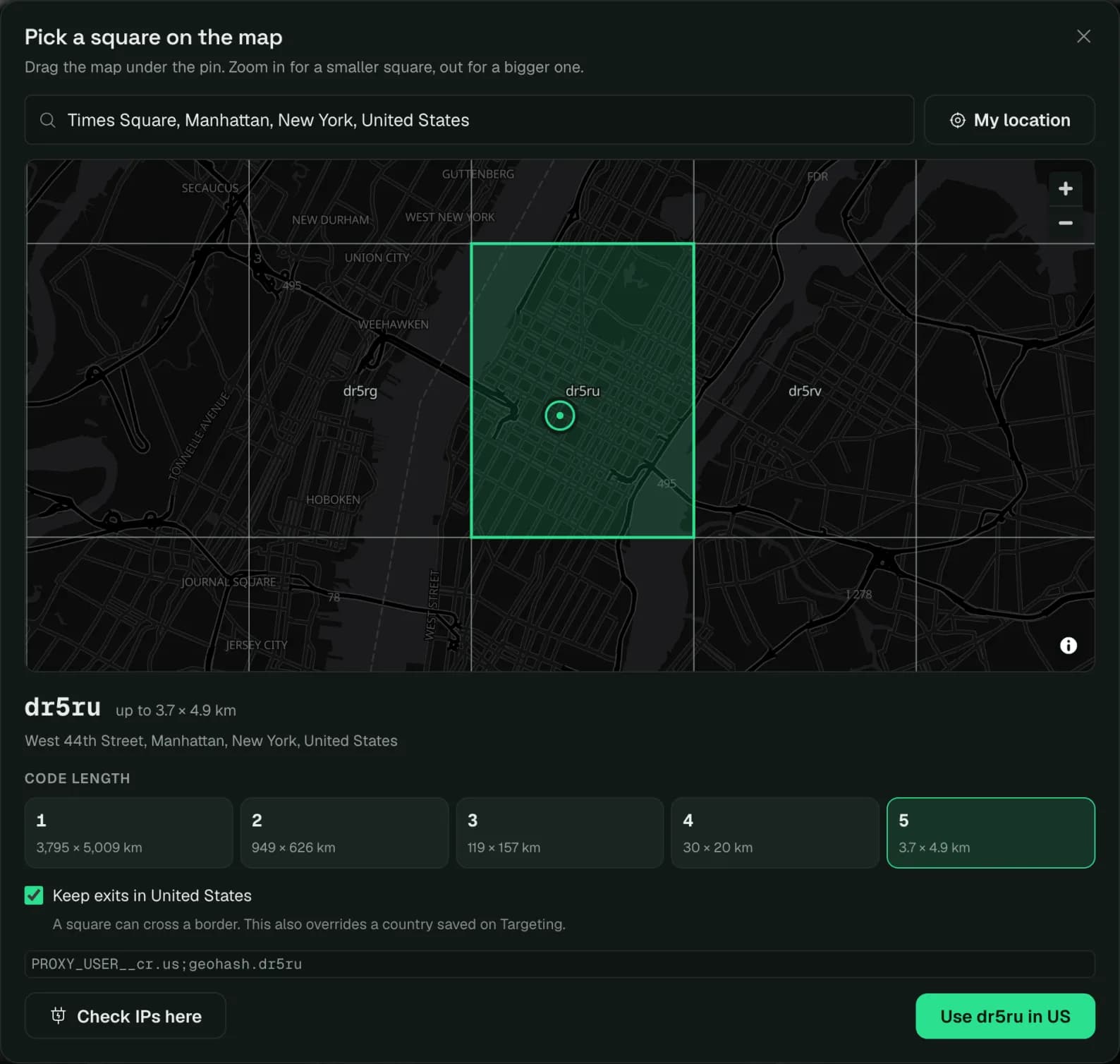
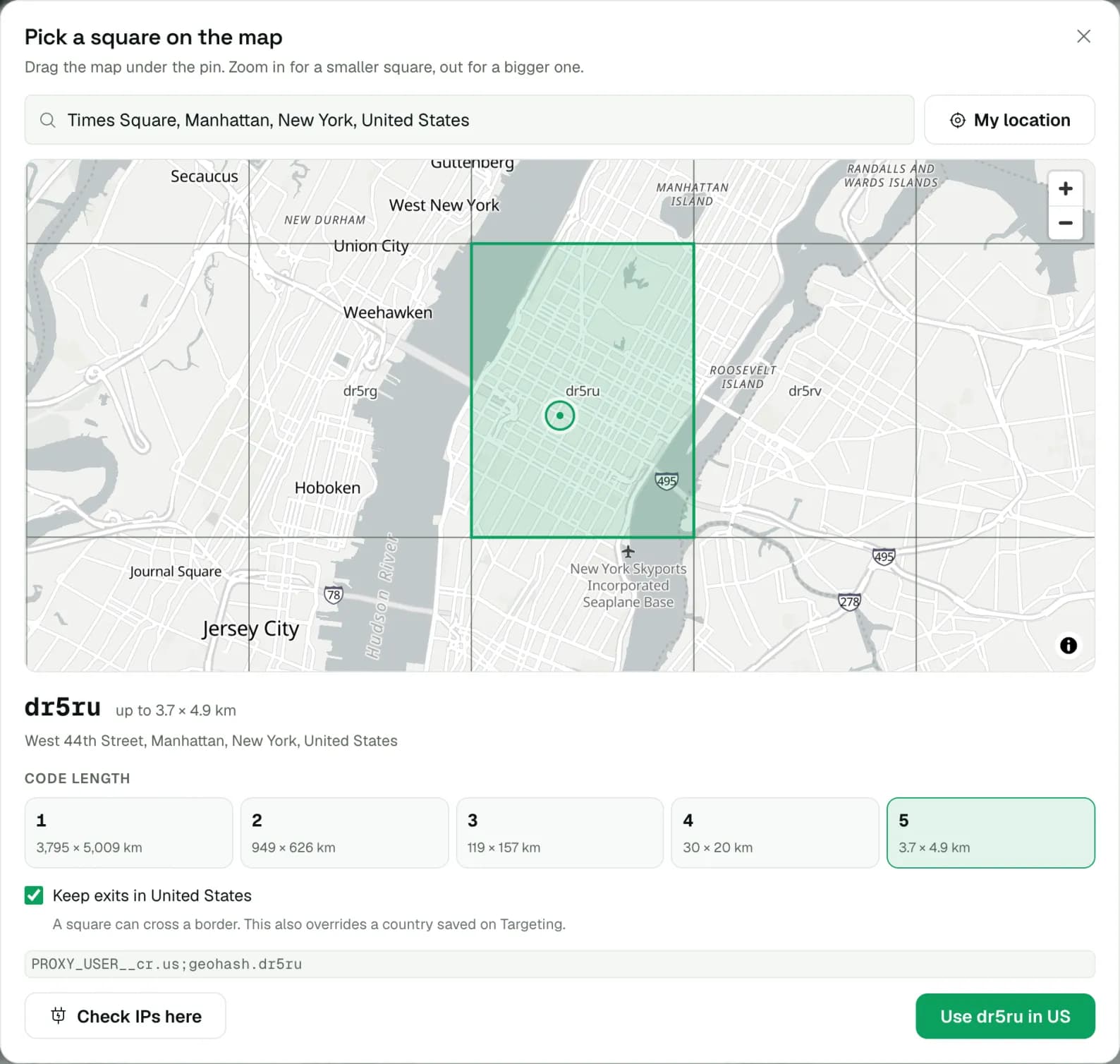
A geohash is a short code for a square on the map. The longer the code, the smaller the square: dr5ru is Midtown Manhattan, about 5 km across. Put one in your proxy username and every IP comes from inside that square, a neighborhood instead of a whole city.
Codes use the digits 0 to 9 and the letters b to z, without i, l and o. The gateway reads up to 5 characters.
Find your square
Open the map and drag the square you want under the pin, or pick a city, paste coordinates or use your own location. Choose how big a square, then copy the username and put your login in place of PROXY_USER.
PROXY_USER__geohash.dr5ruStart at 4 or 5 characters. A 5-character square is a few streets wide and may hold too few IPs for a big job. If requests answer 503 NO_RAY, drop the last character or widen the square.
Use it in the username
PROXY_USERyour login__geohash.dr5ruthe square-usone country;sessid.a1b2hold one IPkey.value parameters separated by semicolons.| Key | Example | What it does |
|---|---|---|
geohash | geohash.dr5ru | IPs from inside this square. Up to 5 characters, upper or lower case. |
-xx | geohash.dr5ru-us | A two-letter country after the square keeps every IP in that country, for squares that cross a border. One country only; cr.us does the same and wins if both are set. |
asn | asn.7922 | One provider inside the square. Needs a country, as the suffix or as cr. |
mingeopool | mingeopool.5000 | The fewest IPs you want to rotate through. Widens the square until it holds them. |
Sessions work as everywhere else: sessid holds one IP from the square and sessttl sets for how long. See sessions. Leave out state, city and zip: a square replaces them, and one that doesn't overlap them leaves no IPs at all.
A saved country still applies. A square replaces the state, city or ZIP saved on the Targeting tab, but not the country. A product saved as the UK answers geohash.dr5ru (Manhattan) with 503 NO_RAY. Put the country in the username, geohash.dr5ru-us or cr.us;geohash.dr5ru, and it replaces the saved one.
Set it in the dashboard
A geohash can't be saved on the Targeting tab, so it goes on each line instead. On your product page, open the Generator tab:
- Type the code into Area (geohash), or click Pick on the map: search a place or drag the map, and zoom to set the size.
- Keep Keep exits in ticked to hold every exit in the square's country, which also replaces a country saved on Targeting. Check IPs here opens one connection into the square before you use it.
- Back on the list, Test these lines shows the city and square each new exit lands in.
- Copy or download the list. Every line carries the square.
Too few IPs? Widen the square
By default every IP comes from inside the square, and a small square runs dry: a busy 5-character square holds a few thousand IPs, a quiet one a handful. mingeopool sets the fewest you need. When the square holds fewer, the gateway adds the squares around it, step by step, up to the whole country, until it has enough.
PROXY_USER__geohash.dr5ru-usstart here;mingeopool.5000until 5,000 IPsdr5re, the square next to Midtown. Whole numbers only: any other value is ignored and only the square itself is used.Check where you exit
Ask the gateway to report each exit's location in the response headers. No second request and no IP lookup service: the answer arrives with the page.
The gateway can add state, ZIP and network too. Check where you exit lists every header.
Send it as a header instead
A tool that can't change the username but can add a proxy header can send the square as sec-ch-geohash, with a country: gcpvj-gb. It works for HTTP and HTTPS on port 823, not SOCKS5. If the username carries a geohash too, the username wins.
Limits, errors and metering
- Metering. Geohash traffic meters like state, city, ZIP and ASN: at 2× on Datacenter, Residential, and Mobile, so 1 GB delivered uses 2 GB of your pack, and at 1× on Premium Residential.
- A bad code is ignored, not refused. With a letter outside the alphabet (a, i, l or o) the request goes out with no location at all, metered at 1×. Check the
X-Proxy-Geohashheader when you set up. - Username only. The Targeting tab doesn't save a geohash. In the username it replaces the location saved there, for that request.
- Five characters at most. A longer code is cut to its first 5.
| Error | What to do |
|---|---|
503 NO_RAY | No IP in the square right now, or none in the country you set. Shorten the code, add mingeopool, or drop asn. |
407 COUNTRY_REQUERIED | asn without a country. Add one: geohash.dr5r-us;asn.7922. The gateway spells the code this way. |
Every other code is on Error codes.